Disclosure: We earn from qualifying Amazon purchases. This page contains affiliate links.
TL;DR
The best power strip for a standing desk depends on how you want to mount and use it. A clamp-on strip is the better fit when you need the power source attached to the moving desktop, but you must check the clamp range and leave enough cable slack for the desk’s full height range. A desktop charging station is better when you need many USB ports and do not require under-desk mounting. Do not choose a product only because it has USB-C or a large outlet count.
Why Does a Standing Desk Need Careful Power Planning?
A height-adjustable desk changes the distance between the tabletop, wall outlet, computer, monitor, and other equipment. If the cable path has no spare length, raising the desk can pull on the plug, disconnect equipment, or place stress on the cables.
Mounting a power strip to the part of the desk that moves with the tabletop can make cable routing easier. However, a power strip alone does not solve every cable problem. You still need enough slack, a safe cable loop, and a clear path that will not catch on the desk frame when the desk moves.
- Check the full height range: Route the cable while the desk is both lowered and raised.
- Leave movement slack: Do not stretch the power cable tightly between the desk and wall outlet.
- Keep the frame clear: Cables should not touch moving legs, crossbars, or lifting mechanisms.
- Match the mounting method: A clamp is not suitable for every tabletop thickness or material.
Which Power Strip Fits Your Standing Desk?
Option 1: Clamp-On Power Strip for a Moving Desktop
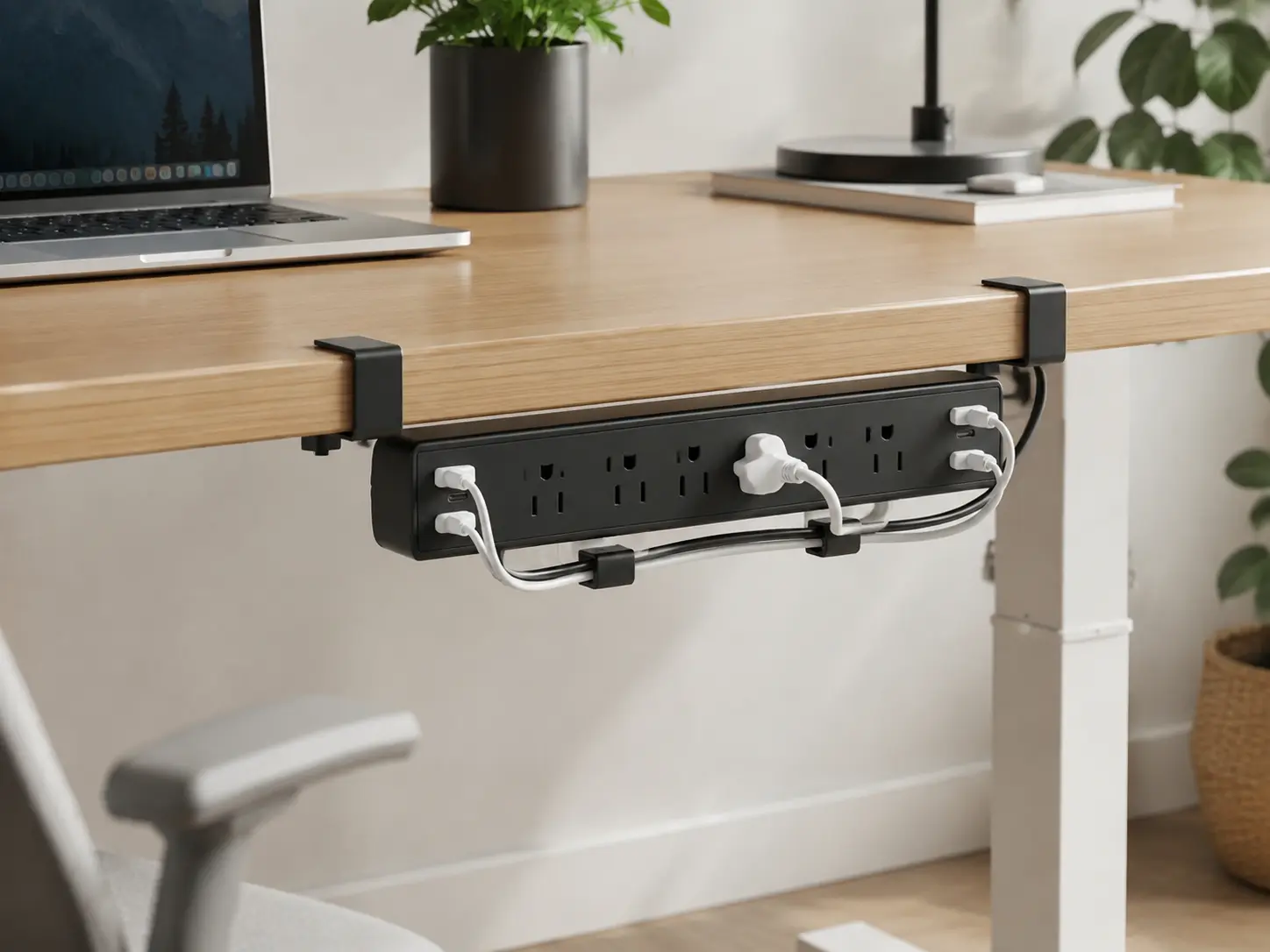
A clamp-on power strip is the most direct option when you want the power source to move with the desktop. It can be useful for a standing desk with a solid, accessible edge, but the clamp dimensions must match your tabletop before you buy.
- Product type: Clamp-on desk power strip
- Verified connection layout: 5 AC outlets, 4 USB-C ports, and 2 USB-A ports
- USB output: 40W total according to the listed product information
- USB-C note: The product listing identifies USB-C PD support, but the total USB output should not be treated as 65W for every port
- Cable length: 6 feet
- Maximum listed desk thickness: Approximately 1.96 inches
- Additional clearance: The product information indicates that space between the desk and wall may be required
- Best for: Solid wood or metal desks with an accessible edge and several devices to power
- Skip if: Your tabletop is thicker than the listed clamp range, made of fragile glass, or has no usable edge for clamping
- Buy on Amazon: Check the current product details
Before installation, measure the actual thickness of your tabletop. Also check whether the clamp will interfere with a rear support bar, monitor arm, cable tray, or the standing desk frame.
Option 2: Desktop Charging Station for USB-Heavy Setups
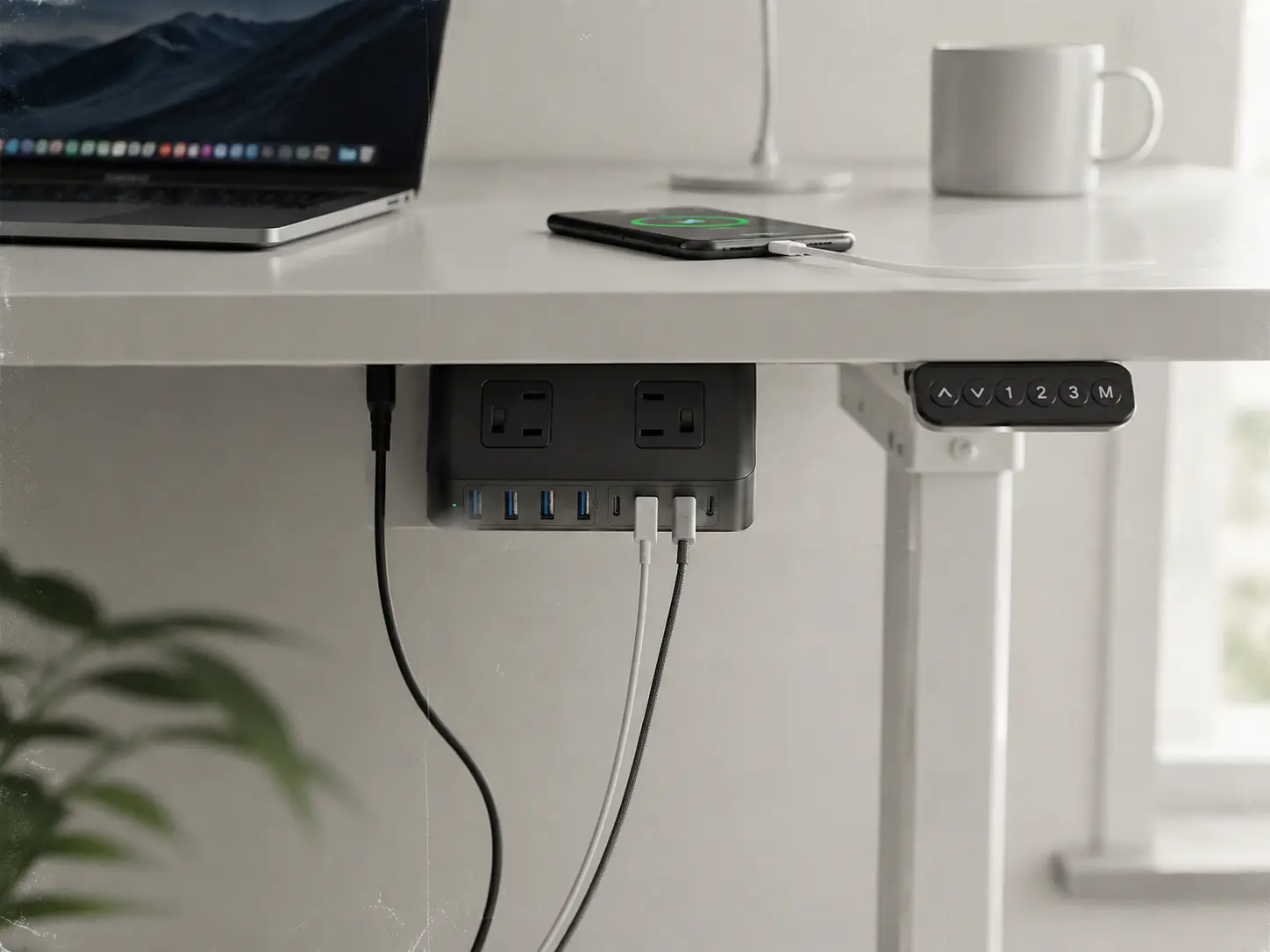
A desktop charging station is a different solution. It is designed to keep several USB devices and AC-powered accessories in one place, but the listed product information does not establish that it is a clamp-on or under-desk mounting product. Choose it when easy desktop access is more important than attaching the unit underneath the tabletop.
- Product type: Desktop charging station and power strip
- AC outlets: 4
- USB ports: 4 USB-C ports and 4 USB-A ports
- USB power: Up to 200W total USB output is listed
- High-power USB-C note: One USB-C port is listed up to 65W; this does not mean every USB-C port supplies 65W
- Cable length: 5 feet
- Approximate size: 6.2 × 4.9 × 1.06 inches
- Best for: Laptop users, phones, tablets, and desk setups that need many charging ports in one accessible location
- Skip if: You specifically need a confirmed clamp-on or under-desk mounting system
- Buy on Amazon: Check the current product details
This option can organize charging on or near the desktop, but do not assume that it can be safely attached underneath the desk unless the product page or included hardware specifically confirms that mounting method.
Clamp-On Strip or Desktop Charging Station?
| Buying condition | Clamp-on strip | Desktop charging station |
|---|---|---|
| Need the unit to move with the desktop | Better fit, if the clamp range matches the tabletop | Not confirmed as an under-desk mounting product |
| Need many USB ports | 4 USB-C plus 2 USB-A ports listed | 4 USB-C plus 4 USB-A ports listed |
| Need a compact laptop charging setup | Useful when edge mounting is possible | Better access to multiple charging ports |
| Desk compatibility concern | Check the approximately 1.96-inch clamp limit and desk-edge clearance | Check placement space and cable reach on the desktop |
| Need confirmed under-desk installation | More suitable, subject to tabletop measurements | Do not assume compatibility without mounting hardware confirmation |
What Should You Check Before Buying?
Does the Clamp Fit Your Desk?
Measure the tabletop thickness at the exact edge where you plan to attach the strip. Do not measure only the visible front edge if the rear of the desk has a different thickness or a support rail.
For the clamp-on model listed above, the product information indicates a maximum desk thickness of approximately 1.96 inches. A thicker desk, a glass top, or a blocked edge may make this product unsuitable.
Will the Cable Reach When the Desk Is Raised?
Measure the distance from the desk’s power strip position to the wall outlet while the desk is at its highest setting. Leave a controlled cable loop instead of allowing the cable to hang freely near the lifting columns.
The strip should move with the tabletop, but the wall-side cable still needs enough length for the complete movement range. Test the desk at its lowest and highest positions before finalizing the cable path.
How Much USB Power Do You Actually Need?
Port count and charging wattage are different things. A product can have several USB-C ports without supplying the maximum advertised wattage to every port at the same time.
- Phone or tablet: Count the ports you need and check the shared output.
- Ultrabook: A single USB-C port rated up to 65W may be suitable, depending on the laptop.
- Large laptop or gaming laptop: Check the original power adapter rating before relying on USB-C charging.
- Multiple devices: Check whether the listed output is shared across all active USB ports.
FAQ
Will a clamp-on power strip solve every standing desk cable problem?
No. It can keep the power strip attached to the moving desktop, but you still need enough cable slack, a safe cable loop, and a route that stays away from the lifting frame.
Can I use the clamp-on strip on a glass desk?
Do not assume that it is safe. A clamp can place pressure on glass and may not hold securely. Use a mounting method specifically approved for the desk material, or choose a product with clearly documented protective hardware.
Is the clamp-on strip suitable for a thick tabletop?
Only if the tabletop is within the product’s listed clamp range. The product information for the model discussed here indicates a maximum desk thickness of approximately 1.96 inches. Measure your desk before buying.
Does the desktop charging station mount under the desk?
The listed product information identifies it as a desktop charging station and power strip. It does not confirm a clamp-on or under-desk mounting system, so do not buy it for that purpose unless the current product page clearly confirms the required hardware.
Is one 65W USB-C port enough for a laptop?
It may be enough for many smaller laptops, but it depends on the laptop’s charging requirement. Larger MacBook Pro models and gaming laptops may require more power, especially while running demanding applications. Check the laptop adapter rating before buying.
Can I plug a standing desk into either product?
The important issue is not only the power strip. Check the strip’s electrical rating, the desk manufacturer’s instructions, and the total load of the connected equipment. Keep the desk motor and other high-load devices within the manufacturer’s recommended setup.
Why not use the wall outlet directly?
A wall outlet can work if the cable has enough slack and is routed safely through the desk’s full height range. A power strip attached to the moving desktop can make several devices easier to connect, but it should be treated as part of a complete cable-management setup rather than a replacement for correct routing.
For more standing desk setup guidance, see our standing desk guide.
Bottom Line
Choose according to the actual limitation of your desk:
- Need the power strip to move with the tabletop? Choose the clamp-on model only after checking the approximately 1.96-inch clamp limit and the available desk-edge clearance.
- Need the most USB charging ports in one place? Consider the desktop charging station, but use it as a desktop product unless under-desk mounting is specifically confirmed.
- Worried about the desk disconnecting while it rises? Measure the cable path at the desk’s full height range and leave enough slack before deciding which strip to buy.
The correct choice is the one that matches your tabletop thickness, mounting requirement, cable distance, and laptop charging needs. Check the current Amazon listing for availability and updated specifications before ordering.