Disclaimer: As an Amazon Associate, I earn from qualifying purchases at no extra cost to you.
| Stand Type | Best For | Sag Prevention |
|---|---|---|
| Solid Walnut | Minimalist & Single Screen | High (Solid wood) |
| Light Oak with Drawers | Hiding Desk Clutter | Medium (Drawer reinforced) |
| Extra Long Dark Wood | Dual Monitor Setups | Maximum (Center support leg) |
Which Wooden Monitor Stand Fits Your Setup?
1. Best for Minimalism: Solid Walnut Monitor Stand
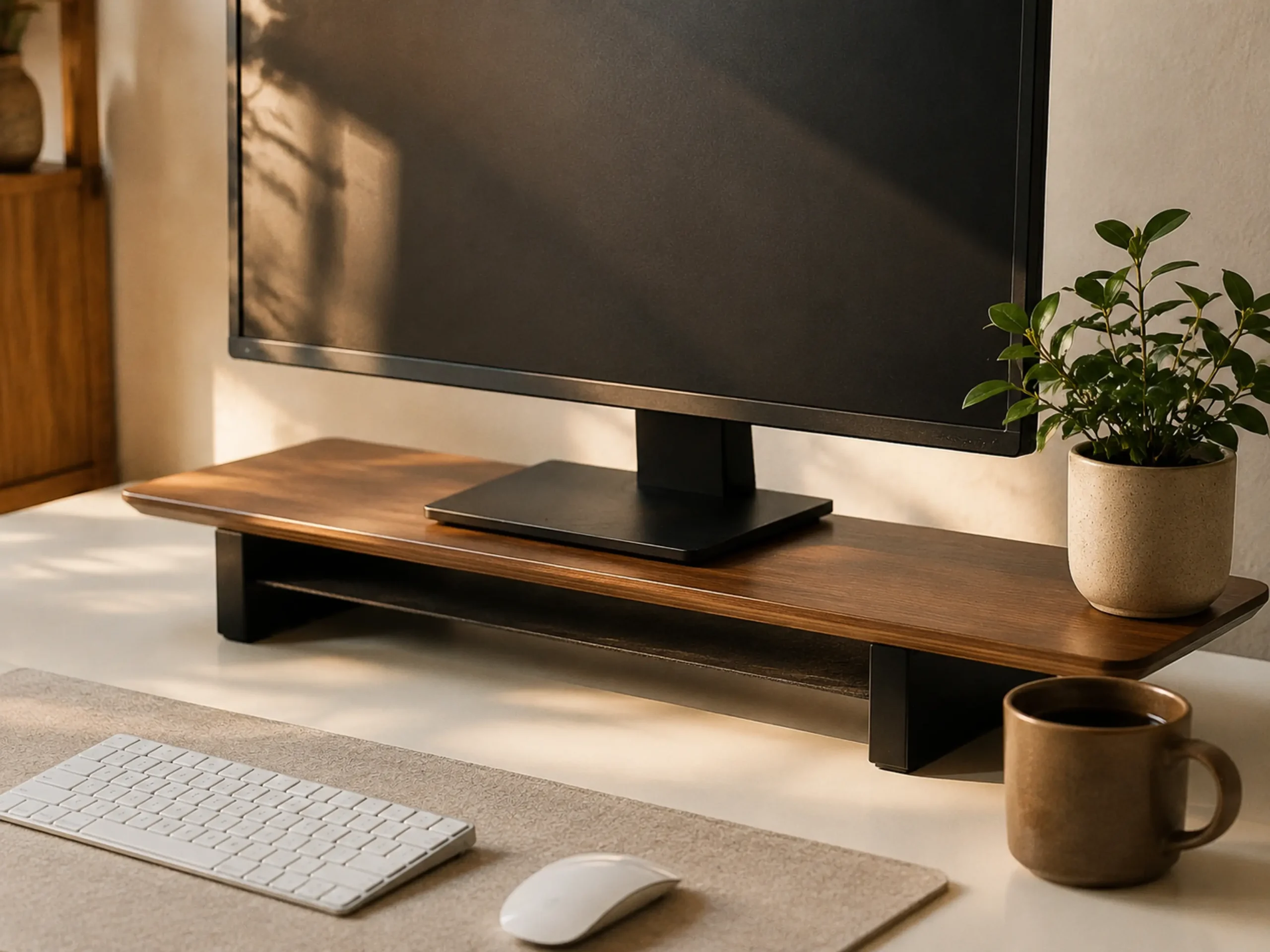
Verdict: Pure elegance that instantly elevates any basic desk setup.
Nothing beats the warmth of real wood. Instead of clamping a heavy metal arm that might damage a cheap desk surface, this solid walnut stand simply rests on top, providing the perfect eye-level lift. The space underneath is just high enough to slide your mechanical keyboard away when you’re done working. (Pro tip: A minimalist setup isn’t complete without a cozy drink. Pair this rich wood tone with one of our favorite aesthetic desk mugs for the ultimate morning vibe.)
- ✅ The walnut finish looks incredibly premium in person.
- ✅ Extremely sturdy; zero sagging with a 27-inch monitor.
- ✅ Anti-slip pads protect the desk surface from scratches.
- ❌ Dust shows up quickly on the dark wood finish.
- ❌ Too narrow to fit an extended keyboard with a numpad underneath.
- ❌ No built-in cable management slots.
2. Best for Hiding Clutter: Light Oak Stand with Drawers
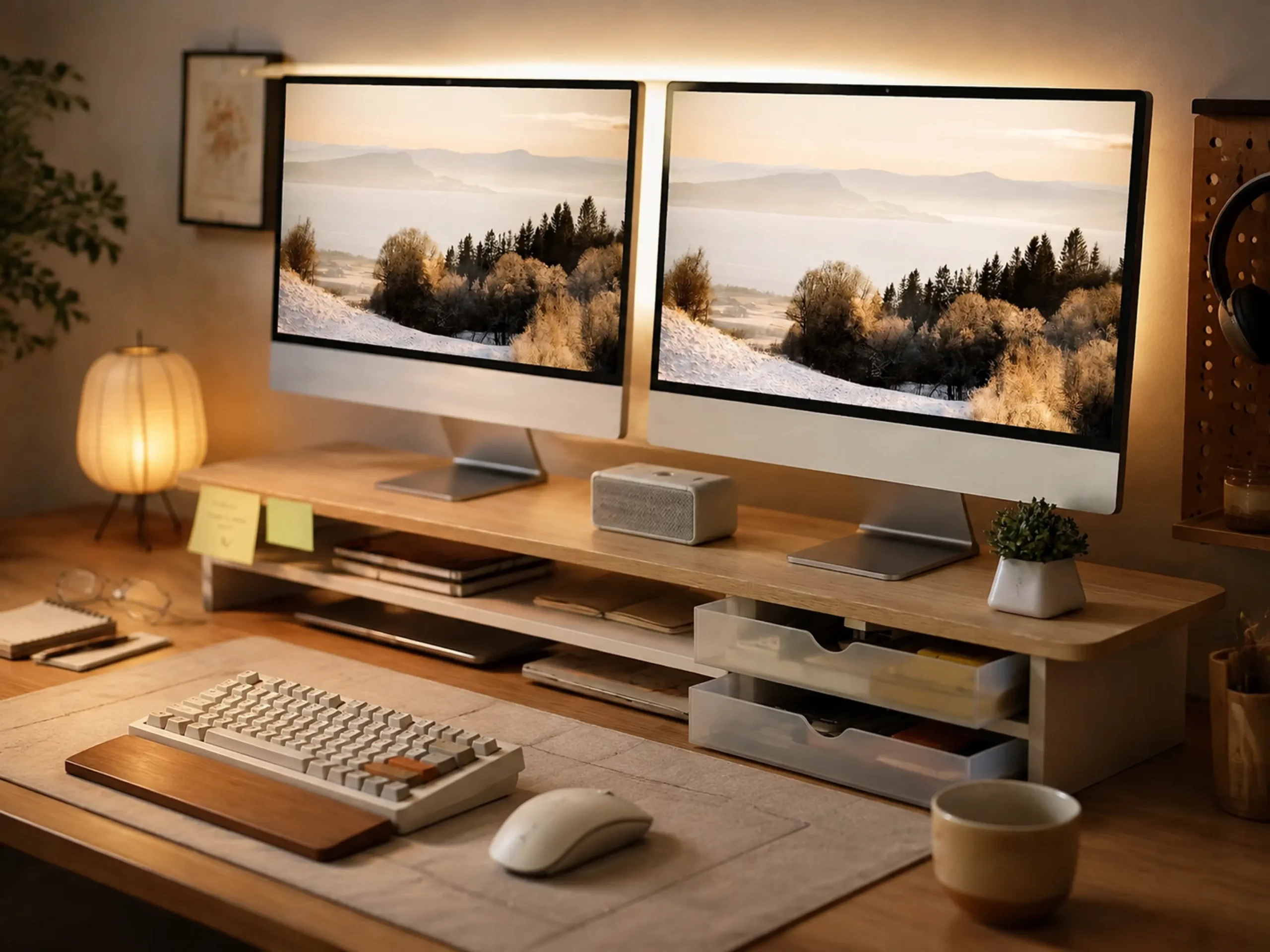
Verdict: The smartest way to keep a small desk looking perfectly organized.
If you’re tired of losing your favorite pens or staring at a messy desk, this is the upgrade you need. The light oak finish fits perfectly into a bright, kawaii, or minimalist setup. The built-in drawers are a game-changer, letting you sweep all those small, distracting items out of sight in seconds.
- ✅ Drawers slide smoothly without catching or squeaking.
- ✅ The light wood color perfectly matches most Ikea tabletops.
- ✅ Keeps the desk looking clean for aesthetic photos.
- ❌ The top surface can bow slightly if a very heavy monitor is placed in the center.
- ❌ Drawers are too shallow for thick notebooks or large staplers.
- ❌ Assembly is required, and the tiny screws can be annoying.
3. Best for Dual Screens: Extra Long Dark Wood Stand
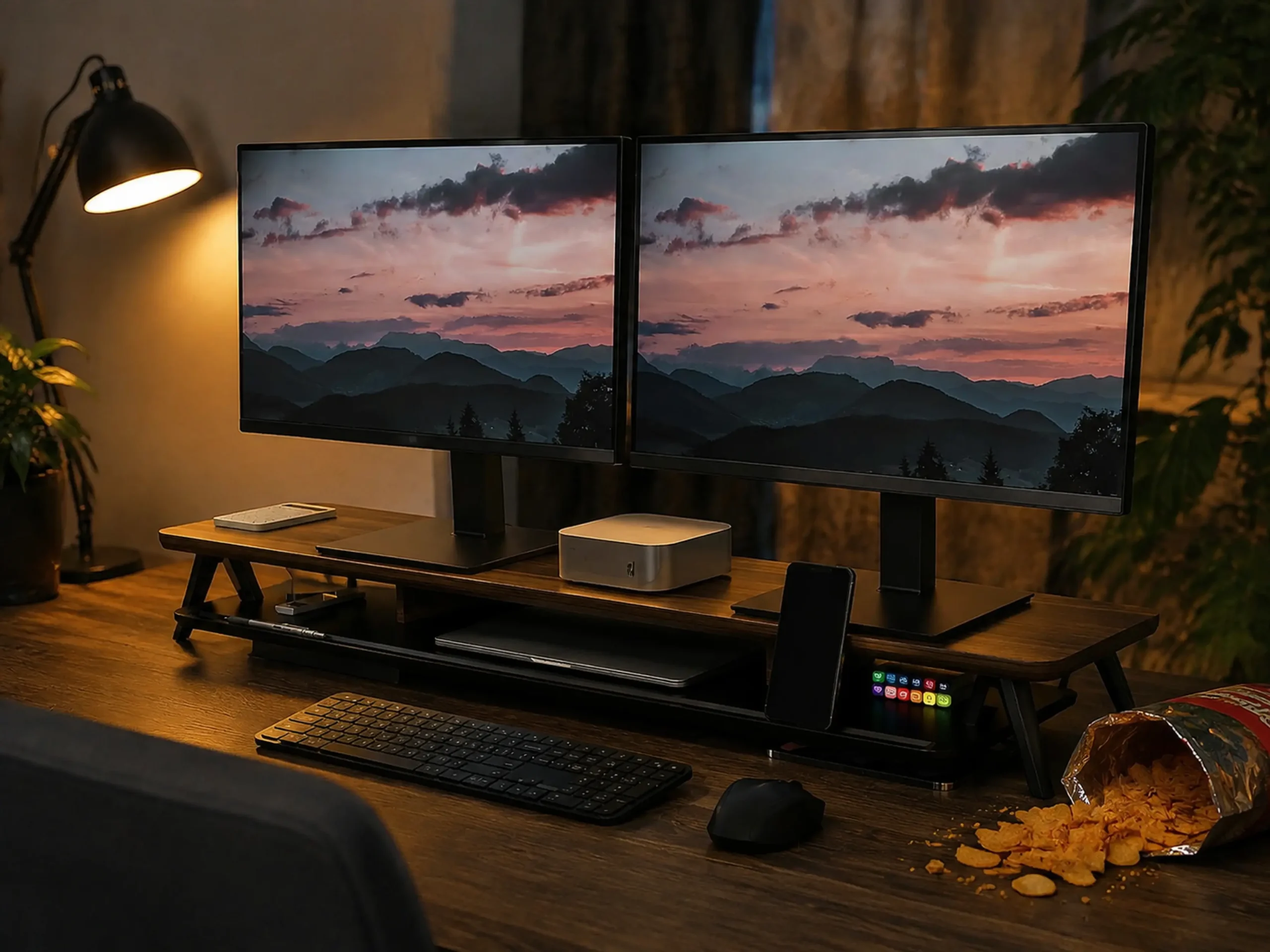
Verdict: The heavy-duty savior for massive setups that refuses to sag.
The biggest problem with wide monitor stands is sagging. Once you put two heavy screens on them, cheap stands bow in the middle like a banana. This extra-long model solves that by including a crucial center support leg, ensuring it stays perfectly flat while still giving you tons of room underneath for speakers, audio interfaces, or dual keyboards.
- ✅ Center support leg completely eliminates sagging, even with two 27″ screens.
- ✅ Tons of space underneath for a laptop and a full-size keyboard.
- ✅ Dark wood finish adds a great moody/dark academia vibe.
- ❌ The center leg means you can’t slide one long keyboard straight across the middle.
- ❌ It takes up a lot of real estate on smaller desks.
- ❌ The finish can chip if you frequently drag heavy monitors across it.
Frequently Asked Questions (FAQ)
Will a wooden monitor stand sag over time?
Solid wood stands (like walnut or oak) rarely sag under a single monitor. However, cheaper particleboard or MDF stands will bow over time. If you use dual monitors, you must buy a stand with a center support leg to prevent sagging.
How tall should a monitor stand be?
Ergonomically, the top third of your monitor screen should be at eye level. Most wooden stands add 3 to 5 inches of height, which perfectly corrects the “hunching forward” posture for average-height desks.
Can a wooden stand hold an ultrawide monitor?
Yes, but you need to check the stand’s weight capacity. Ultrawides are heavy. Look for a solid wood stand rated for at least 40 lbs (18 kg), or an extra-long stand with a center support pillar.
Is it better to use a monitor stand or a clamp arm?
Clamp arms save more desk space but require a sturdy, solid wood desk (they can crush cheap IKEA honeycomb desks). A wooden monitor stand is safer for cheap desks, requires zero installation, and adds aesthetic warmth to the setup.