Disclaimer: As an Amazon Associate, I earn from qualifying purchases at no extra cost to you.
| Desk Type | Best For | Minimum Space Needed |
|---|---|---|
| 40″ Compact Wood | Single Monitor & Laptops | 40 inches (100 cm) |
| 48″ Dual Motor White | Dual Monitor Setups | 48 inches (120 cm) |
| 48″ with Drawers | Clutter-Free Storage | 48 inches (120 cm) |
Which Small Standing Desk Fits Your Room?
1. Best for Extreme Small Spaces: 40-Inch Compact Wood Desk
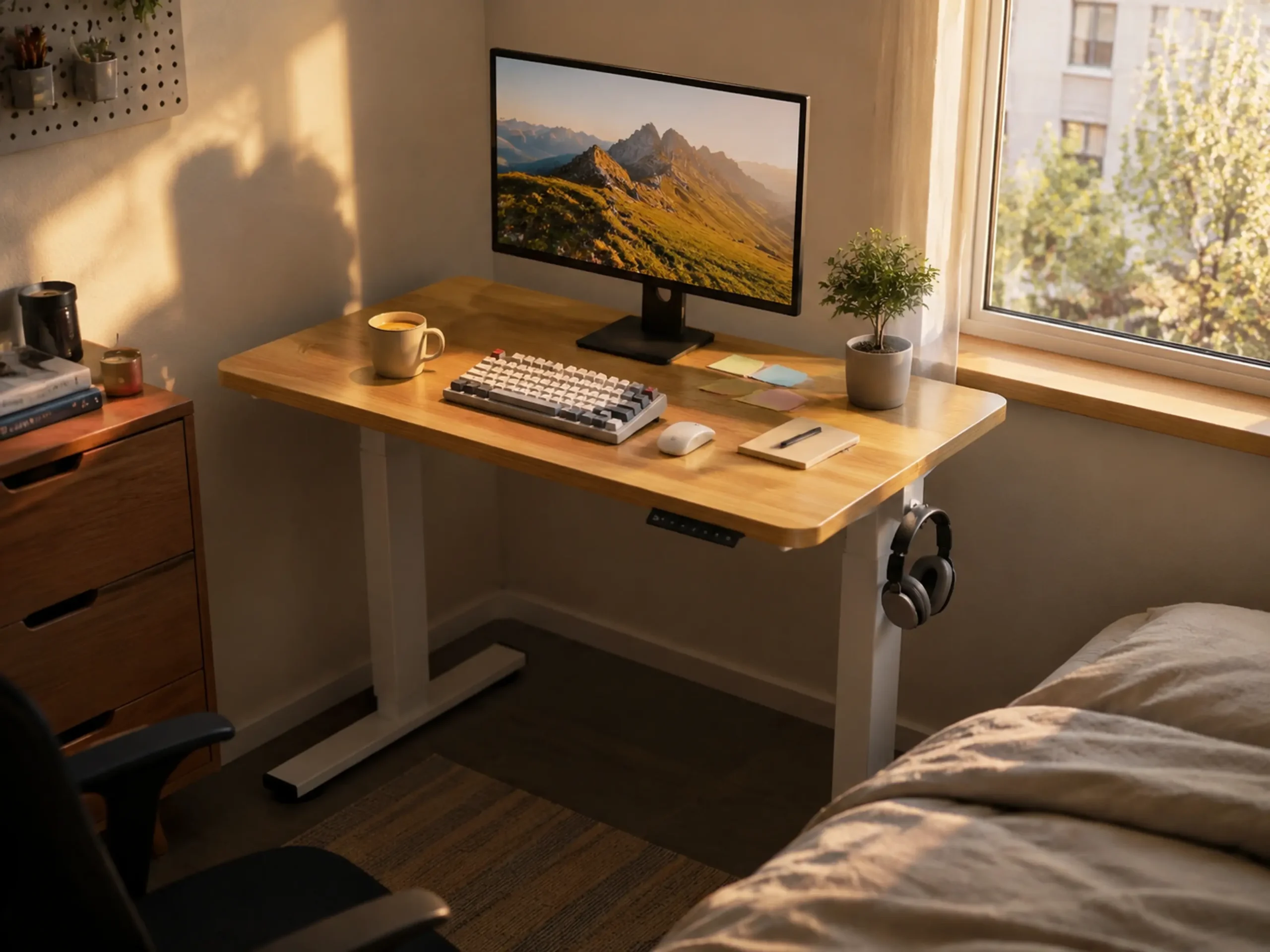
Verdict: The absolute lifesaver for tiny bedroom corners where standard desks simply won’t fit.
Finding a standing desk under 48 inches that doesn’t look like cheap office furniture is surprisingly hard. This 40-inch model features a beautiful light oak texture that instantly warms up a small room without dominating the space, keeping that cozy aesthetic intact.
- ✅ Fits perfectly in tiny apartment bedroom corners.
- ✅ The wood grain texture looks premium in cozy setups.
- ✅ Quiet motor during height adjustments.
- ❌ 40 inches is too cramped for dual monitors.
- ❌ Crossbar underneath can bump tall people’s knees.
- ❌ Setup instructions are slightly confusing.
2. Best for Dual Monitors: 48-Inch Dual Motor White Desk
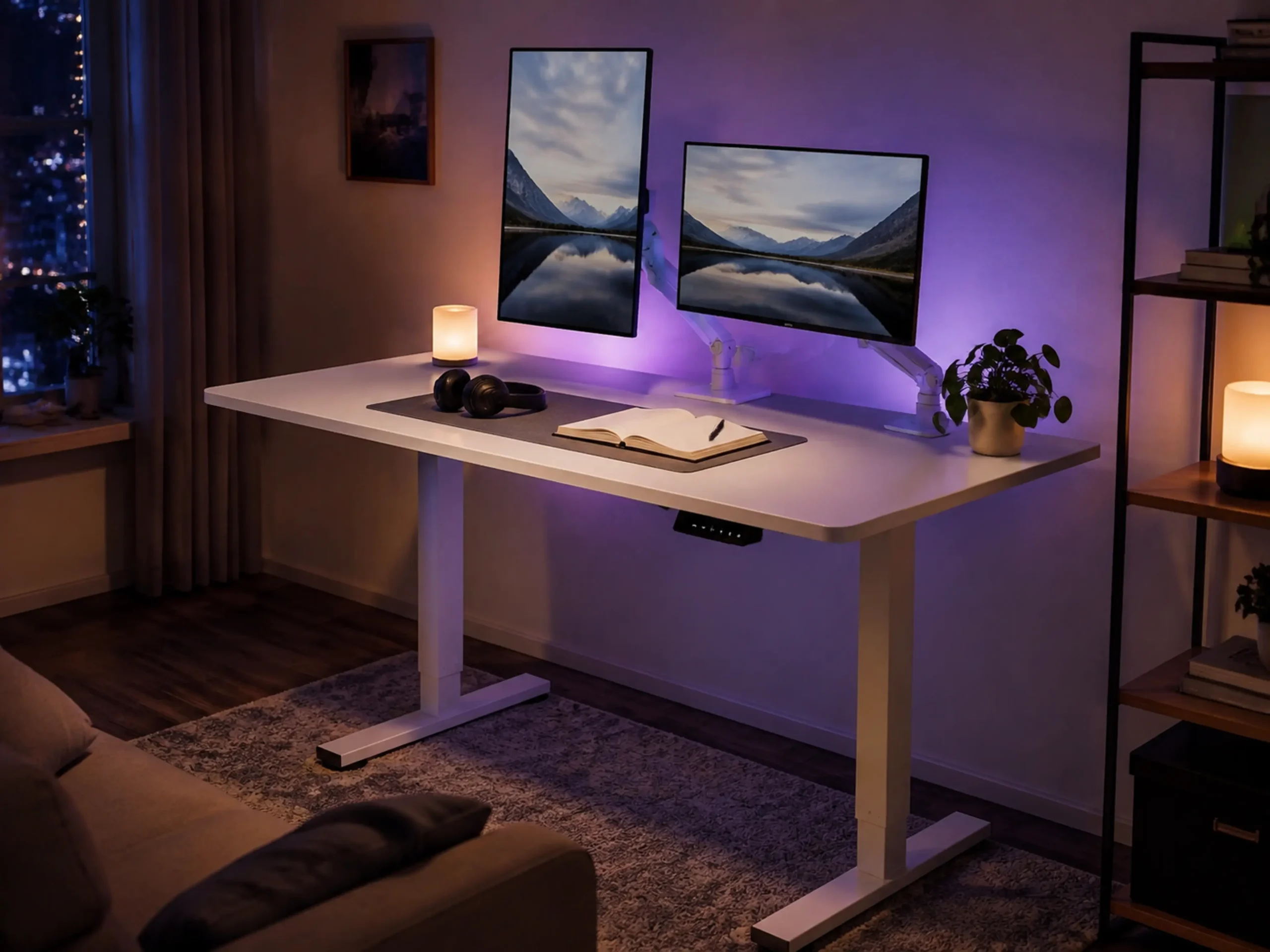
Verdict: The heavy-duty choice that prevents your monitors from wobbling when typing at standing height.
Wobble is the biggest issue with standing desks. By upgrading to a dual-motor frame, this 48-inch desk ensures your screens won’t shake violently when you’re typing. The pristine white top is perfect for bouncing ambient light in a cozy setup. (Pro tip: If you’re upgrading to this heavy-duty desk, make sure your screens are supported properly. Check out our guide on the best dual monitor arms for a white desk to prevent sagging.)
- ✅ Dual motors make lifting heavy setups effortless and smooth.
- ✅ Zero typing wobble even at maximum height.
- ✅ Clean white finish is perfect for RGB and warm lighting setups.
- ❌ The desktop comes in two spliced pieces, leaving a visible seam.
- ❌ Very heavy box, requires two people to assemble.
- ❌ Included cable management tray is too small.
3. Best for Storage: Small Standing Desk with Built-in Drawers
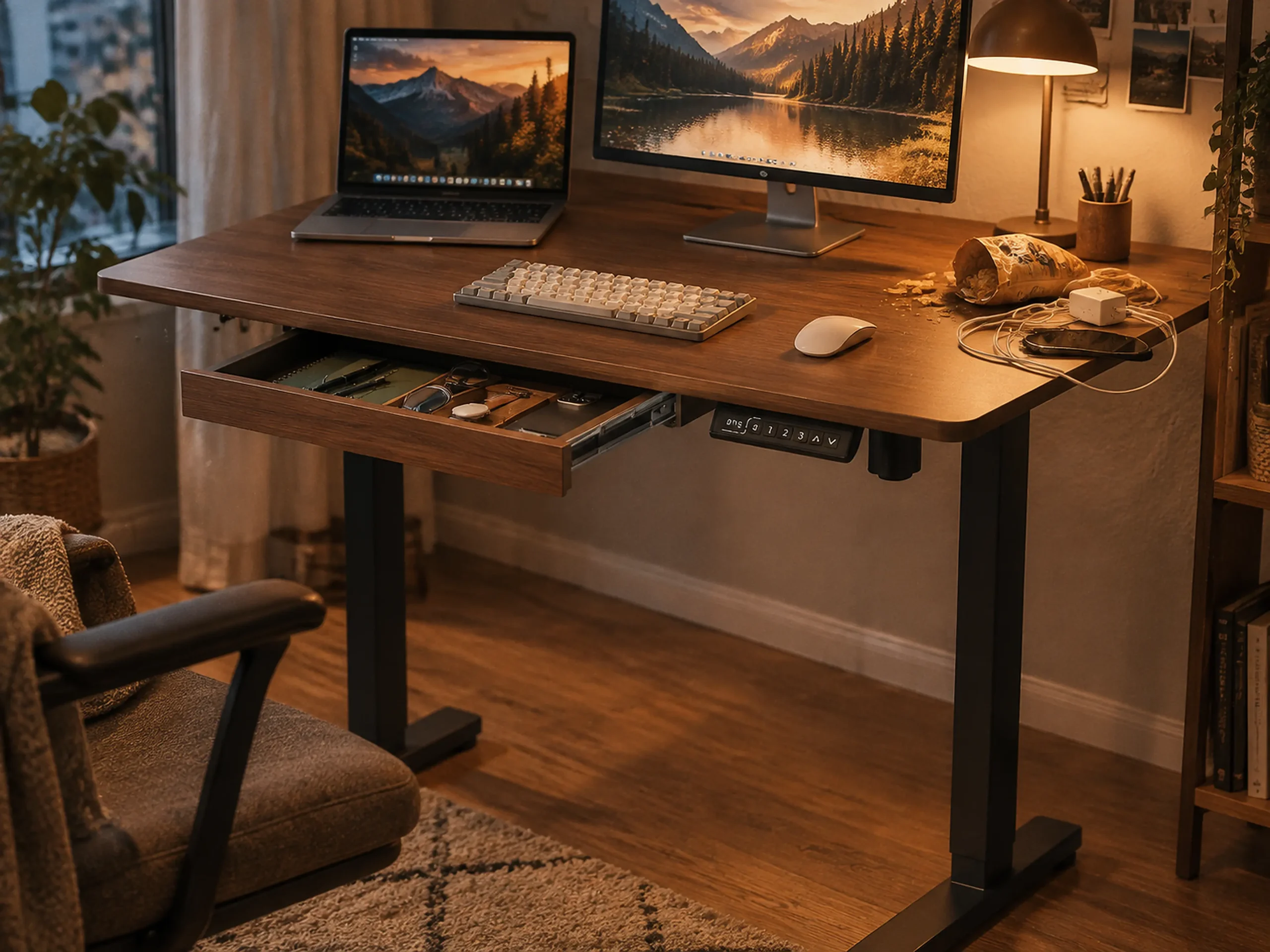
Verdict: The smartest way to hide cables, snacks, and stationery in a tiny workspace.
When you have a small desk, every square inch counts. This model integrates built-in drawers directly under the desktop, giving you a stealthy spot to hide your clutter without ruining the aesthetic. The darker finish adds a slightly moody, dark academia vibe to your space.
- ✅ Drawers are a game-changer for keeping a small desk tidy.
- ✅ Looks far more expensive and elegant than typical office desks.
- ✅ Memory presets make switching heights easy.
- ❌ The drawer lip makes clamping most monitor arms impossible.
- ❌ Drawers are fabric-lined, not solid wood.
- ❌ Not deep enough to hide large mechanical keyboards inside.
Frequently Asked Questions (FAQ)
How small is too small for a standing desk?
Anything under 40 inches (100 cm) is generally only suitable for a laptop. If you use a single external monitor, 40 inches is the absolute minimum. For dual monitors, 48 inches is the safest starting point.
Will a cheap standing desk wobble?
Yes. Desks with a single motor or thin steel legs tend to wobble heavily when raised above 38 inches. If you are a heavy typist or use monitor arms, always invest in a dual-motor frame.
Can I clamp a monitor arm to a desk with drawers?
It depends on the desk’s lip clearance. Many standing desks with built-in drawers block standard C-clamps. You must check if there is at least 3 inches of clearance behind the drawer, or opt for a desk with a pre-drilled grommet hole.
Do standing desks use a lot of electricity?
No. The motor only draws power for the 10-15 seconds it takes to change height. While in standby mode, it uses less than 0.5 watts, which won’t noticeably impact your electricity bill.