*Disclosure: I only recommend products I would use myself and all opinions expressed here are our own. This post may contain affiliate links that at no additional cost to you, I may earn a small commission.*
📝 Editor’s Note: Let’s be completely honest: the stock black or white keycaps that came with your mechanical keyboard are boring. You don’t need to spend $200 on a brand-new keyboard to get that viral Pinterest aesthetic! Swapping out your keycaps takes about 10 minutes and is the most satisfying desk upgrade ever. From chunky MOA profile cat keycaps to soothing matcha tones and translucent jelly designs, I’ve found the best kawaii keycaps that will completely transform your setup’s vibe and make every keystroke feel incredibly cozy.
TL;DR: The Quick Breakdown
Short on time? Here is the verdict: If you want the absolute cutest, roundest keys with a satisfying “thocky” sound, the Pink Cat MOA keycaps are a must-have. If your setup leans more toward earthy, calming cottagecore vibes, the Matcha Milk keycaps bring the perfect warm aesthetic. Finally, if you love late-night gaming and want your keyboard’s RGB to shine beautifully, the Pastel Translucent Jelly keycaps will give you that dreamy glowing effect.
| Keycap Style | Aesthetic Vibe | Best Feature |
|---|---|---|
| Pink Cat (MOA Profile) | Ultimate Kawaii / Soft Girl | Chunky, round shape & cute art |
| Matcha Green & Milk | Cozy / Japanese Minimalist | Calming, earthy color palette |
| Translucent Jelly | Pastel Gamer / Synthwave | Incredible RGB light diffusion |
Why Are MOA Profile Pink Cat Keycaps Taking Over Aesthetic Desks?
The Verdict: The chunky, rounded edges of the MOA profile make your keyboard look like a soft, squishy marshmallow, delivering max kawaii points.
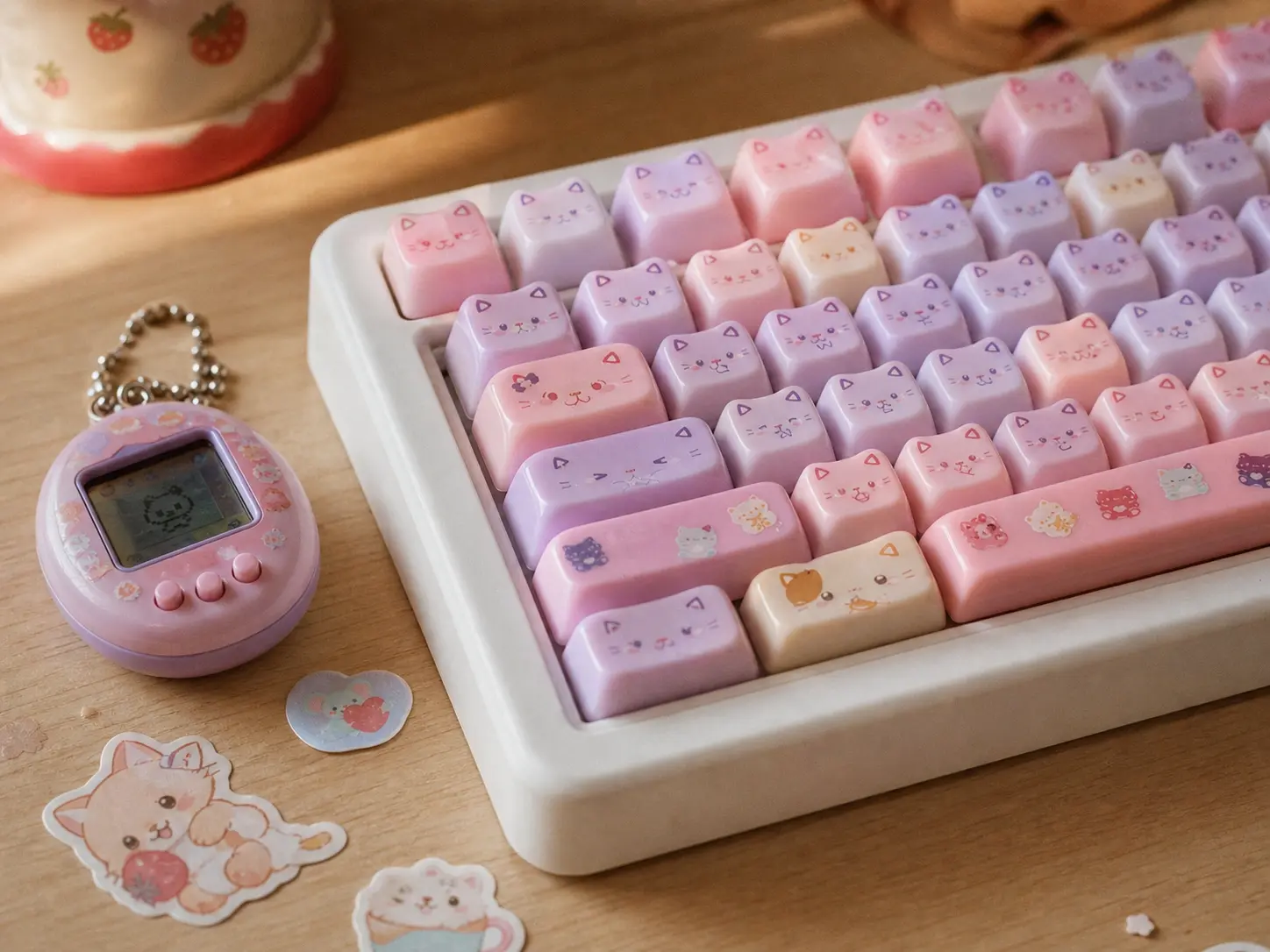
If you have been scrolling through aesthetic desk setups on TikTok, you have definitely seen these. MOA profile keycaps are taller and rounder than standard keys, which not only looks adorable but also deepens the sound profile (giving you that highly desired “creamy” or “thocky” typing sound). The pastel pink details and tiny cat paw graphics bring so much personality to a plain desk. Imagine sinking into your cute pink gaming chair with bunny ears and typing on this absolute masterpiece!
👍 Pros: 1. The rounded shape is incredibly satisfying to type on; 2. Makes the keyboard sound deeper/creamier; 3. Adorable novelty keys.
👎 Cons: 1. MOA profile takes a day or two to get used to if you only type on flat laptops; 2. Light pink gets dirty easily if you eat at your desk.
Does a Matcha Green Keycap Set Fit a Cozy Anime Setup?
The Verdict: Absolutely. It provides a warm, earthy balance that prevents your desk from looking too artificial or neon-heavy.
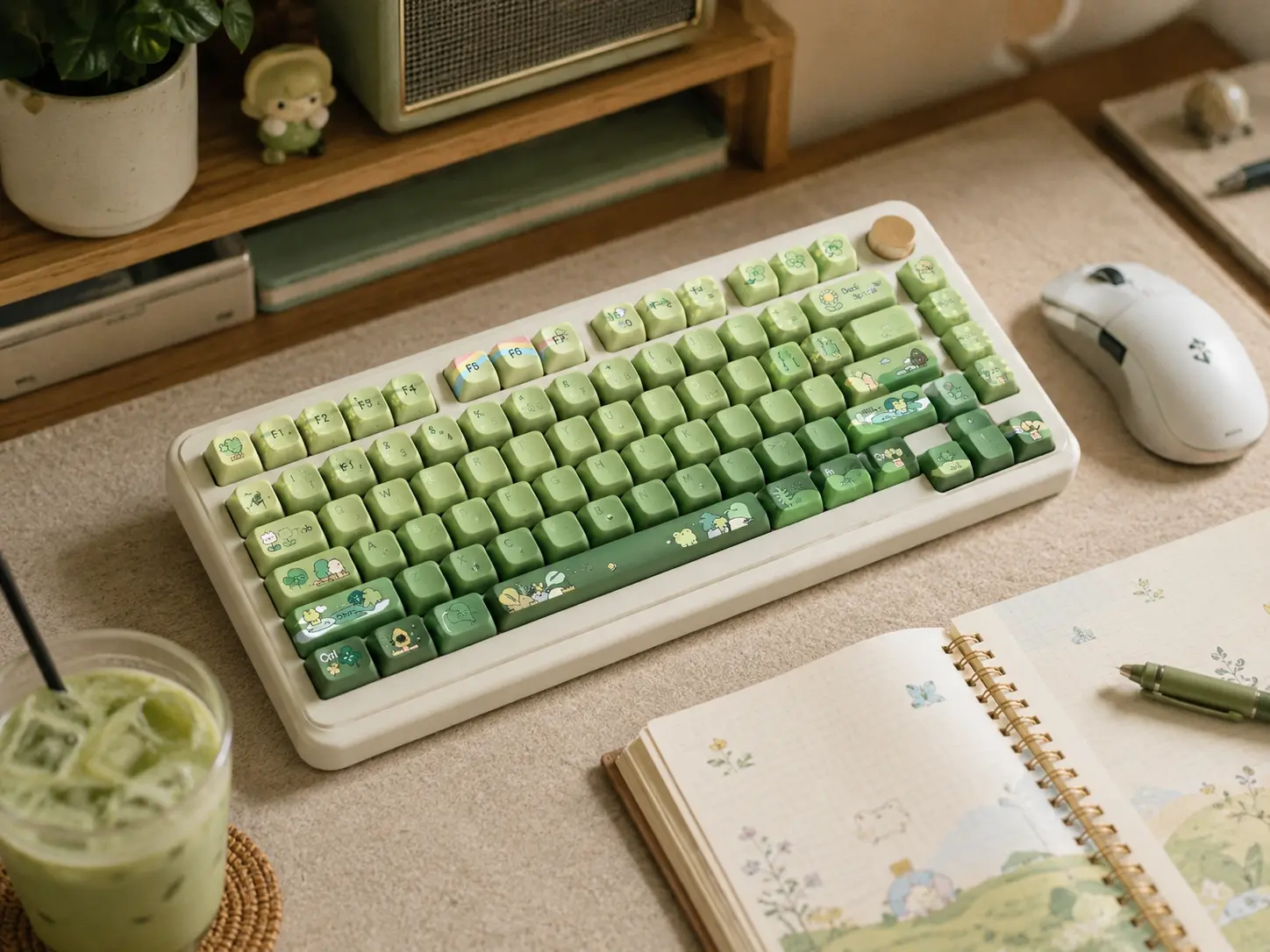
Not everyone wants a bright pink desk! If your vibe is more Studio Ghibli, lo-fi beats, and warm wood tones, this Matcha Green and Milk White set is perfection. The earthy green tones bring a touch of nature indoors, creating a calming environment that reduces study or work stress. Pair it with a warm aesthetic desk lamp, grab a real matcha latte, and your workspace instantly becomes your favorite cozy cafe.
👍 Pros: 1. Beautiful, soothing color palette; 2. Matte finish prevents oily shine from fingers; 3. Complements natural wood desks perfectly.
👎 Cons: 1. Doesn’t let RGB light shine through the letters; 2. The green can look slightly different under cool white room lights.
Are Translucent Jelly Keycaps Good for RGB Keyboards?
The Verdict: They are the absolute best choice for RGB lovers, turning harsh LED lights into a soft, glowing pastel dream.

If you love playing games at night in a dark room, standard opaque keycaps block all the fun! Translucent jelly (or pudding) keycaps feature a solid frosted top with see-through sides. When your keyboard’s RGB lights turn on, the entire keyboard base glows like soft, pastel neon candy. It is a mesmerizing effect that looks incredible on camera. Throw in some kawaii desk accessories around it, and your nighttime setup will look like magic.
👍 Pros: 1. Makes RGB lighting look incredibly soft and diffused; 2. Pastel colors look great even when lights are off; 3. Very smooth texture.
👎 Cons: 1. Can show dust more easily than opaque caps; 2. May feel a bit slippery for hardcore competitive gamers.
Frequently Asked Questions (FAQ)
1. Do these keycaps fit any keyboard?
Most custom keycaps are designed for “Cherry MX style” switches (the ones with a little [+] shaped stem underneath). If your keyboard is mechanical and has that [+] stem, they will likely fit! They do not fit flat membrane or laptop keyboards.
2. How hard is it to change keycaps?
It is incredibly easy! You just use a simple wire keycap puller (usually included) to pull straight up on your old keys, and press the new ones firmly down onto the switches. It takes about 10–15 minutes.
3. Does changing keycaps void my keyboard’s warranty?
No, swapping keycaps is considered a standard cosmetic modification and does not void the warranty of your keyboard, as you are not opening the electronic chassis.
4. What is the difference between MOA and XDA profile?
Both are uniform profiles (all rows are the same height), but MOA is generally taller and has much rounder, “squishier” looking edges compared to the flatter top of XDA.