Disclosure: As an Amazon Associate, I earn from qualifying purchases. This means if you click on an affiliate link and make a purchase, we may receive a small commission at no extra cost to you.
Tired of wire clutter ruining the aesthetic of your standing desk? You don’t need a drill to fix it. We tested the best clamp-on cable management solutions under $50. The Clamp-on Metal Tray is perfect for minimalist setups with basic wiring. If you have bulky MacBook adapters and massive power strips, the High-Capacity Wire Basket is your savior. Finally, for those wires trailing down the desk legs, a Flexible Cable Sleeve/Spine ensures a clean route to the floor. Protect your clean workspace effortlessly and keep your wires organized.
Why You Need a Clamp-On Solution for Your Standing Desk
Upgrading to a standing desk is a game-changer for your posture, but it quickly reveals a hidden nightmare: a chaotic web of dangling cables. Every time you raise the desk, the monitor cables and power cords stretch, risking damage or pulling your gear off the table. While traditional cable management requires drilling into the underside of your desk—which is intimidating and can void your desk’s warranty—no-drill, clamp-on solutions offer a secure, tool-free fix in minutes.
Speaking of upgrading your workstation for health, once your cables are safely tucked away, you should also complete your pain-free setup by checking out our guide on the best ergonomic mouse for wrist pain to protect your joints during long grinding sessions.
Quick Comparison: Top No-Drill Cable Organizers
| Type | Best For | Setup Time |
|---|---|---|
| Clamp-on Metal Tray | Minimalist setups, standard cords | 2 mins |
| High-Capacity Basket | Bulky power strips & adapters | 3 mins |
| Flexible Cable Sleeve | Routing wires to the floor | 1 min |
1. The Sleek Clamp-on Cable Management Tray
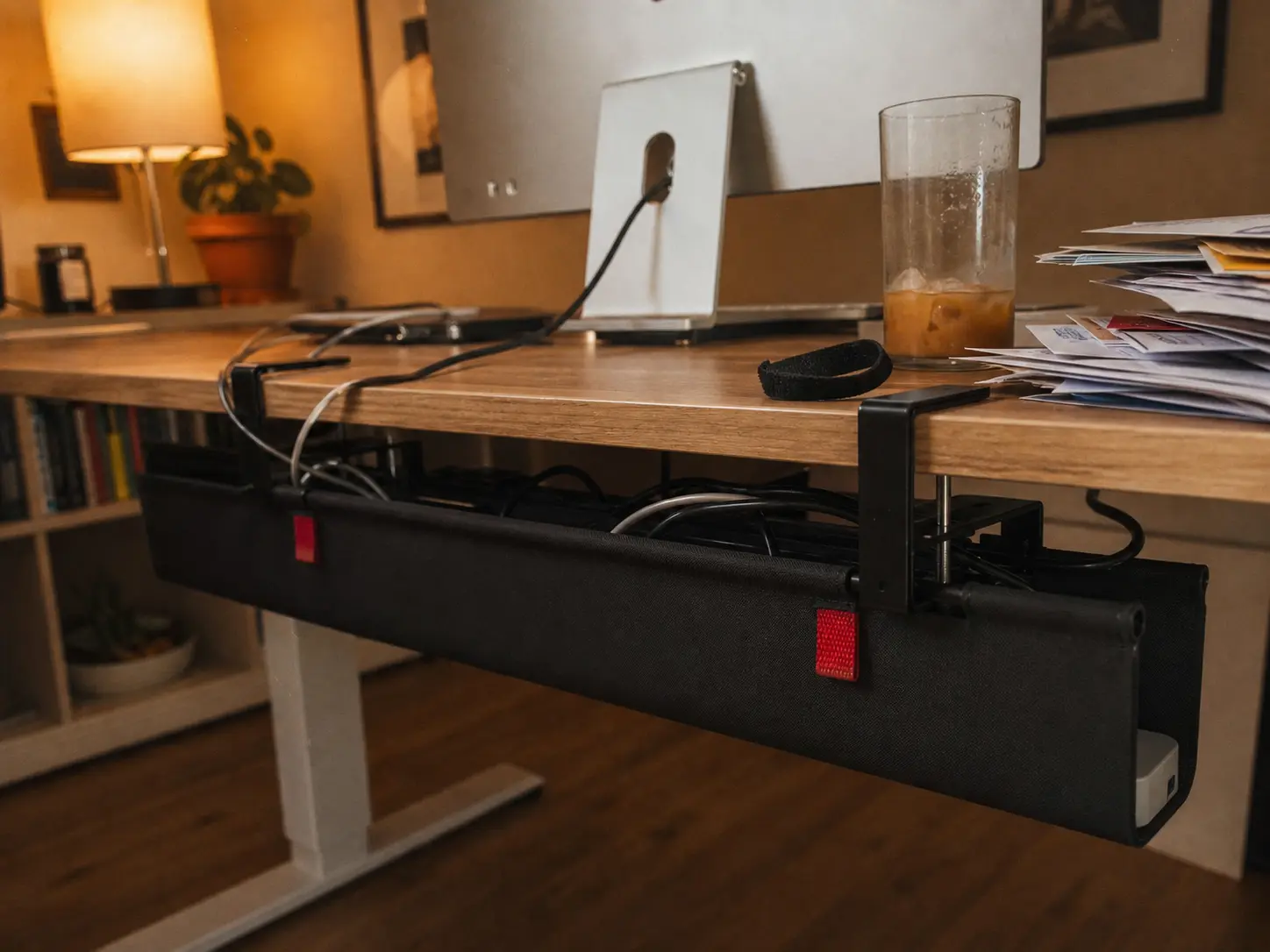
If you want a clean, stealthy look without the hassle of screws, the standard clamp-on tray is your best friend. It securely latches onto the back edge of your desk, holding HDMI cables, USB hubs, and standard power cords perfectly out of sight.
2. The High-Capacity Wire Basket for Heavy Setups
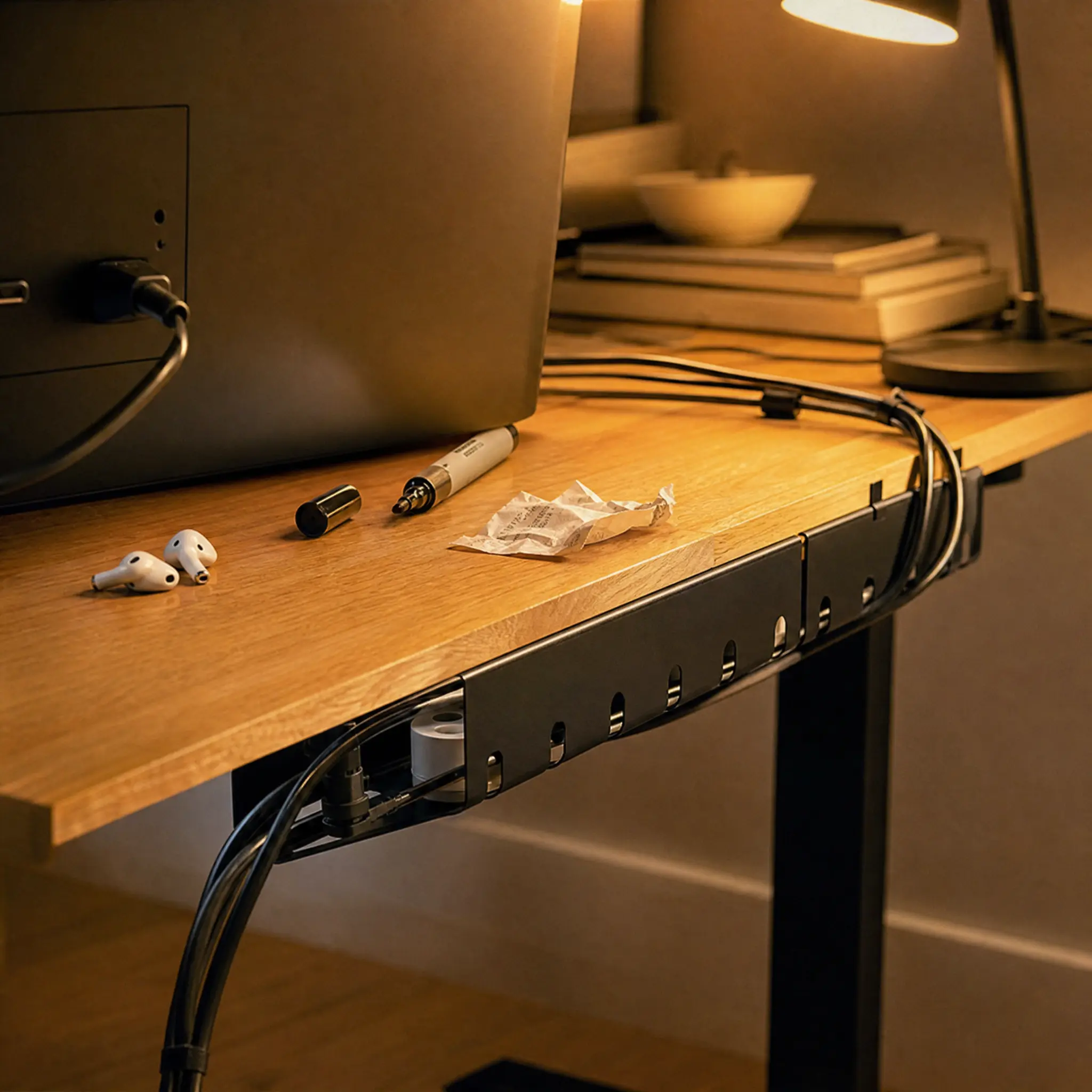
For those running a heavy-duty workstation with a massive surge protector, multiple MacBook power bricks, and thick braided cables, a standard tray just won’t cut it. You need a deep metal basket. The open mesh design ensures your power bricks don’t overheat while supporting serious weight via heavy-duty C-clamps.
3. The Flexible Cable Sleeve / Spine
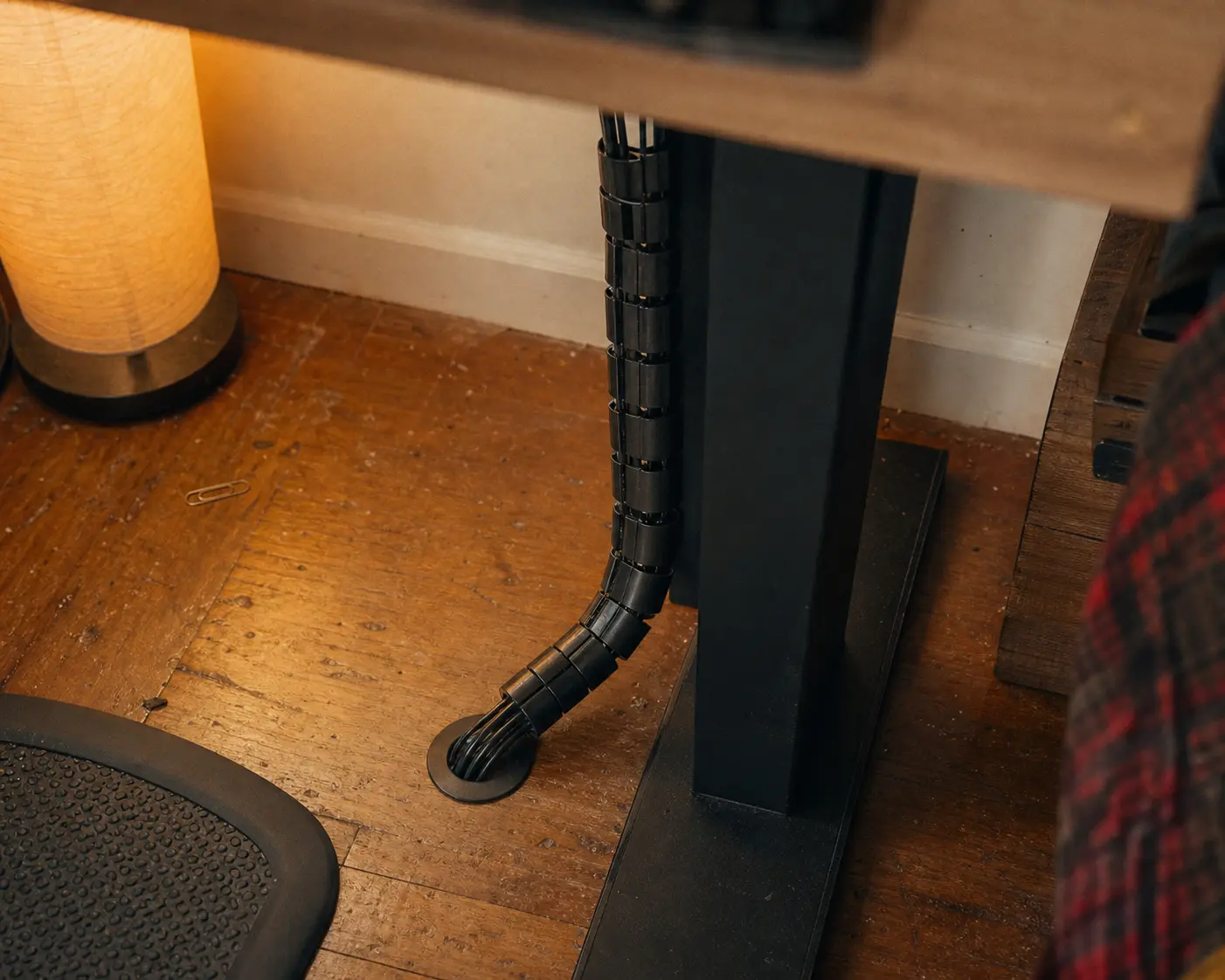
Managing the horizontal cables under the desk is only half the battle. When you hit the button to raise your standing desk, you need a safe, clean path for the main power cord to travel from the desk to the wall outlet. A flexible cable sleeve bundles the stray vertical wires together, moving smoothly with the desk.
It eliminates the ugly “spider web” effect near your feet, protects cords from pet bites, and gives your home office that premium, professionally installed aesthetic.
Frequently Asked Questions (FAQ)
Will a clamp-on tray damage my desk surface?
No. High-quality clamp-on cable trays come with rubber or silicone pads on the C-clamp. This ensures they grip the desk tightly without scratching the wood or leaving permanent indentations.
How much weight can a no-drill basket hold?
Most heavy-duty metal clamp-on baskets can comfortably hold between 10 to 15 lbs. That is more than enough for a large power strip, several heavy laptop bricks, and all your routing cables.